
Download Xournal – Free Open‑Source Note‑Taking App for Mac, Windows & Linux
Overview – Why Xournal++ Is the Go‑To Tool for Handwritten Digital Notes
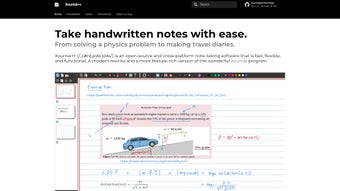
Xournal++ (commonly shortened to Xournal) is an open‑source, cross‑platform note‑taking application that has quickly become a favorite among students, researchers, and professionals who prefer a natural, pen‑on‑paper experience on a digital canvas. Built on a lightweight Qt framework, Xournal++ runs seamlessly on macOS, Windows, and Linux, offering a consistent user interface regardless of the operating system. What sets Xournal apart from generic PDF annotators is its deep integration with stylus pens and pressure‑sensitive tablets, allowing users to vary line thickness, opacity, and texture just as they would with a real pen.
The application is completely free to download and use, with a vibrant community contributing plugins, bug fixes, and new features on a regular basis. Its open‑source nature means that the source code is publicly available on GitHub, ensuring transparency and the ability for power users to customize the program to their exact workflow. Whether you need to jot down quick meeting minutes, annotate research papers, sketch diagrams, or embed complex LaTeX equations, Xournal++ provides a flexible canvas that can handle all these tasks without the bloat of commercial alternatives.
Security‑conscious users will appreciate that Xournal++ stores notes locally by default, giving you full control over your data. There is no mandatory cloud sync, although third‑party services can be integrated if desired. Regular updates are released every few weeks, each bringing performance improvements, new toolbar options, and bug resolutions that keep the software secure and stable on the latest operating system releases. In short, Xournal++ is a robust, secure, and highly customizable note‑taking solution that bridges the gap between analog handwriting and digital efficiency.
Key Features – What Makes Xournal++ Stand Out
- Handwritten note creation with full pressure‑sensitivity support for stylus pens and graphics tablets.
- Rich media integration: embed images, videos, and audio annotations directly into your notes.
- Integrated LaTeX editor for scientific equations, symbols, and complex mathematical expressions.
- Customizable toolbars and keyboard shortcuts for a personalized workflow.
- Extensive plugin ecosystem that adds functionality such as OCR, spell‑check, and cloud sync.
- Multi‑page document handling with PDF import/export capabilities.
- Cross‑platform compatibility (macOS, Windows, Linux) with consistent UI.
- Open‑source license (GPL‑3.0) guaranteeing free use, modification, and distribution.
- Auto‑save and version history to protect against accidental data loss.
- Lightweight performance; runs smoothly on older hardware without sacrificing features.
Installation & Usage – Step‑by‑Step Guide for Every Major OS
Windows Installation
1. Visit the official Xournal++ GitHub releases page and download the latest .exe installer for Windows.
2. Run the installer and follow the on‑screen prompts; the wizard automatically adds a desktop shortcut and registers the application in the Start menu.
3.
After installation, launch Xournal++ and select “New Document” to start a fresh canvas. The default toolbar includes pen, eraser, highlighter, and shape tools. You can enable the LaTeX editor via Tools → Insert LaTeX.
macOS Installation
1. Download the .dmg file from the GitHub releases page.
2. Drag the Xournal++ icon into the Applications folder.
3. Open the app (you may need to bypass Gatekeeper by right‑clicking and selecting “Open”). Once launched, configure your stylus in Preferences → Tablet Settings to ensure pressure sensitivity works out of the box.
Linux Installation
Xournal++ is available in most distribution repositories. For Ubuntu/Debian based systems, run:
sudo add-apt-repository ppa:xournalpp/stable && sudo apt update && sudo apt install xournalpp
For Arch Linux, use the community package: pacman -S xournalpp. After installation, launch via your desktop menu or type xournalpp in a terminal. The Linux version supports native Wayland and X11, and integrates with the system’s default PDF viewer for seamless annotation.
Across all platforms, the workflow is intuitive: create a new page, select a pen style, and start writing. Use the “Insert” menu to add images, videos, or audio files. The “Layer” panel lets you reorder objects, lock elements, or hide them temporarily. Export options include PDF, PNG, and SVG, making it easy to share your notes with collaborators who may not have Xournal++ installed.
Compatibility – System Requirements and Supported Environments
Xournal++ is designed to be lightweight, meaning it runs comfortably on both modern and older hardware. Below are the recommended specifications for an optimal experience:
- Windows: Windows 10 (64‑bit) or later; at least 2 GB RAM; graphics tablet drivers (Wacom, Huion, etc.) for pressure support.
- macOS: macOS 10.13 (High Sierra) or newer; 2 GB RAM; native support for Apple Pencil on compatible iPad via Sidecar.
- Linux: Any distribution with Qt 5.12+; kernel 4.4+; 2 GB RAM; optional Wayland support for smoother tablet input.
The application is also compatible with a range of tablet devices, including Wacom Intuos, XP‑Pen, and Microsoft Surface Pen. Users can adjust the tablet’s pressure curve directly within Xournal++’s preferences to match their personal drawing style. Because Xournal++ stores files in an open .xopp format, you can open notes on any platform that has the software installed, ensuring true cross‑device continuity.
Pros and Cons – Balanced Assessment of Xournal++
Pros
- Completely free and open‑source, with no hidden fees or subscription model.
- Excellent stylus and pressure‑sensitivity support for natural handwriting.
- Robust LaTeX integration for academic and scientific documentation.
- Highly customizable UI; users can add, remove, or rearrange toolbars.
- Active community delivering frequent updates and new plugins.
- Cross‑platform compatibility ensures a consistent experience on Windows, macOS, and Linux.
- Local storage guarantees data privacy; optional cloud sync via plugins.
- Lightweight performance; runs smoothly on older laptops and netbooks.
Cons
- Initial setup of tablet drivers may be confusing for beginners.
- Advanced features like OCR require third‑party plugins that are not bundled by default.
- No official mobile app; iOS/Android users must rely on remote desktop or alternative apps.
- Interface, while functional, feels utilitarian compared to polished commercial alternatives.
- Limited built‑in cloud backup options; users must configure external services manually.
FAQ – Frequently Asked Questions About Xournal++
Is Xournal++ truly free, or are there hidden costs?
Xournal++ is released under the GPL‑3.0 license, which means it is completely free to download, use, and modify. There are no subscription fees, in‑app purchases, or hidden costs. All features, including LaTeX support and media embedding, are available out‑of‑the‑box.
Can I sync my notes across multiple devices?
Xournal++ stores notes locally, but you can sync them using third‑party services such as Dropbox, Nextcloud, or Git. Several community‑maintained plugins simplify this process, allowing automatic upload and download of .xopp files.
Does Xournal++ support audio recording directly in notes?
Yes. The “Insert Audio” tool lets you record voice memos or import existing audio files. Playback controls appear on the canvas, making it easy to listen while reviewing your notes.
How does Xournal++ handle PDF annotation?
You can open any PDF directly in Xournal++, annotate with pens, highlighters, or shapes, and then export the annotated file as a new PDF. The original document remains unchanged, preserving the source file.
Is there a way to customize keyboard shortcuts?
Absolutely. Under Settings → Keyboard Shortcuts you can assign, modify, or delete shortcuts for any tool or action, tailoring the app to your personal workflow.
Conclusion – Should You Download Xournal++ Today?
If you’re looking for a powerful, free, and secure note‑taking application that feels as natural as writing on paper, Xournal++ delivers exactly that across all major desktop platforms. Its rich media support, integrated LaTeX editor, and extensive customization options make it suitable for everything from casual meeting minutes to rigorous scientific research. While the lack of an official mobile client may be a drawback for some, the ability to sync via third‑party cloud services and the active plugin ecosystem bridge that gap for most users.
The balanced set of pros and cons shows that Xournal++ excels in functionality, privacy, and cross‑platform consistency, while still leaving room for improvement in UI polish and built‑in cloud features. For students, educators, engineers, and anyone who values a handwritten digital workflow, the benefits far outweigh the minor inconveniences.
Ready to boost your productivity with a truly open‑source tool? Download Xournal++ now and start creating notes that are as expressive as your thoughts. Join the community, explore plugins, and enjoy a secure, free solution that evolves with your needs.







